Disclosure: This article contains independent comparisons of VPN services. Some links may be affiliate links, meaning we may earn a commission if you purchase through them, at no additional cost to you. Our recommendations are based on features, pricing, privacy practices, usability, and overall value.
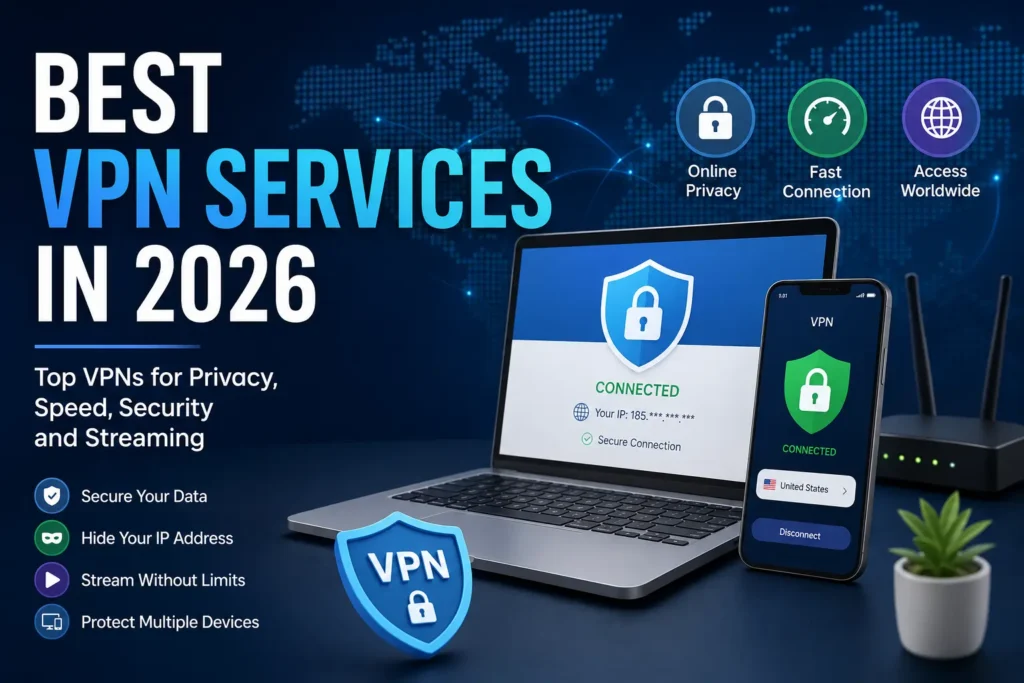
Best VPN Services in 2026
A VPN can be useful for much more than simply changing your IP address.
A good Virtual Private Network (VPN) encrypts your internet connection, helps protect your data on untrusted networks, and masks your IP address from websites and other online services.
But choosing a VPN in 2026 is not as simple as picking the provider with the biggest number of servers.
VPN companies now compete on speed, privacy, streaming support, device limits, security features, password managers, malware protection, dedicated IP addresses, and increasingly broader identity-protection services.
So which VPN should you actually choose?
After comparing some of the most established VPN services available in 2026, these are our top picks:
| VPN | Best For | Free Plan | Devices | Money-Back Guarantee |
|---|---|---|---|---|
| NordVPN | Best overall | No | 10 | 30 days |
| Surfshark | Best value | No | Unlimited | 30 days |
| ExpressVPN | Best for beginners | No | 10–12 depending on plan | 30 days |
| Proton VPN | Best for privacy | Yes | 1 free device | 30 days on paid plans |
| Mullvad VPN | Best for privacy-focused users | No | 5 | 14 days |
| Private Internet Access | Best for multiple devices | No | Unlimited | 30 days |
Pricing, device limits, features, and promotions can change. Check the provider’s official website before purchasing.
1. NordVPN — Best VPN Overall in 2026
Best for: Most users, privacy, streaming, speed, and general online security.
NordVPN remains one of the strongest all-around VPN choices in 2026.
Independent VPN comparisons from Tom’s Guide and TechRadar currently place NordVPN at or near the top of their overall rankings. Tom’s Guide names it the best VPN for most people, while TechRadar also ranks it as its top overall VPN.
One reason is balance.
NordVPN combines strong privacy features with a polished application, fast connections, a large server network, and additional security tools.
NordVPN pricing
NordVPN’s current promotional pricing varies according to the subscription period and package selected.
At the time of writing, its two-year Basic plan is advertised at approximately $3.49 per month, with the introductory period including additional months. Its monthly Basic plan is $14.99. The company also offers higher tiers that add features such as malware protection, ad and tracker blocking, password management, and identity-monitoring tools.
NordVPN offers a 30-day money-back guarantee.
Why choose NordVPN?
NordVPN offers:
- Strong encryption
- Automatic kill switch
- DNS leak protection
- NordLynx protocol
- OpenVPN support
- No-logs policy
- Malware and phishing protection
- Ad and tracker blocking
- Multiple simultaneous connections
- Streaming support
- Dedicated IP option
- Additional identity and security features on higher plans
NordVPN says its no-logs policy has undergone multiple independent assessments, including reviews by PwC and Deloitte.
Who should use NordVPN?
NordVPN is a strong choice if you want one VPN for everyday browsing, streaming, travel, public Wi-Fi, and general privacy.
It is also a good option if you do not want to spend time configuring complicated settings.
Our rating: ⭐⭐⭐⭐⭐
Best overall for: Most people.
2. Surfshark — Best Affordable VPN in 2026
Best for: Families, multiple devices, and users looking for strong value.
If NordVPN is the all-around choice, Surfshark is one of the strongest options for people who want to protect a lot of devices without paying for multiple VPN subscriptions.
Surfshark supports unlimited simultaneous device connections, which is one of its biggest advantages.
That can make a significant difference for households with multiple phones, laptops, tablets, smart TVs, and other connected devices.
Surfshark pricing
Surfshark’s current two-year promotional pricing starts around $2.49 per month for its Starter plan, with additional months included in the current promotion. Surfshark also offers higher tiers that combine VPN protection with features such as antivirus, identity protection, data removal, and alerts.
All plans currently include a 30-day money-back guarantee.
Why Surfshark is attractive
Surfshark offers:
- Unlimited simultaneous connections
- VPN encryption
- Kill switch
- No-logs policy
- Ad and tracker blocking
- Multiple VPN protocols
- Streaming support
- Antivirus on higher plans
- Identity protection on higher plans
- Data removal features on higher plans
Surfshark’s current security suite has expanded beyond the traditional VPN, making it more of an online security platform than simply an IP-hiding service.
Who should choose Surfshark?
Surfshark is particularly attractive if you have several devices or want to share VPN protection across a household.
For example, one subscription could cover your:
- Smartphone
- Laptop
- Tablet
- Smart TV
- Work computer
- Partner’s devices
- Other compatible devices
Our rating: ⭐⭐⭐⭐⭐
Best for: Value and unlimited devices.
3. ExpressVPN — Best VPN for Beginners
Best for: Beginners who want a simple VPN application.
ExpressVPN has built its reputation around making VPN technology easy to use.
You do not need to understand VPN protocols, encryption standards, or DNS settings to get started.
Install the application, choose a location, and connect.
That simplicity makes ExpressVPN particularly attractive to people who are buying a VPN for the first time.
Tom’s Guide currently ranks ExpressVPN as its best VPN for beginners, while TechRadar also highlights its ease of use.
ExpressVPN pricing
Current promotional pricing starts around $2.99 per month on a two-year plan plus four additional months. The plan renews at a higher annual price after the promotional period. ExpressVPN also offers a 30-day money-back guarantee for new users.
ExpressVPN’s current plans support 10 or 12 simultaneous devices, depending on the plan.
What makes ExpressVPN different?
The service focuses heavily on:
- Ease of use
- Strong encryption
- Fast connections
- Cross-platform apps
- Streaming
- Public Wi-Fi protection
- Threat protection
- Password management on selected plans
- Multiple VPN protocols
ExpressVPN also uses its proprietary Lightway protocol, designed to provide fast and reliable VPN connections.
Who should choose ExpressVPN?
If the phrase “I just want something that works” describes you, ExpressVPN is worth considering.
It may not be the cheapest VPN available, but its simplicity can be valuable.
Our rating: ⭐⭐⭐⭐½
Best for: Beginners and ease of use.
4. Proton VPN — Best VPN for Privacy
Best for: Privacy-conscious users and people looking for a reputable free VPN.
Proton VPN is one of the most interesting choices in this comparison because it offers something many major VPN providers do not:
A genuinely free VPN plan with unlimited bandwidth.
Proton says its free plan has no data limit, no advertisements, and no logging of online activity. The free plan is available across Windows, macOS, Android, iOS, Linux, and other supported platforms.
The free version is limited to one device and does not provide the same server selection and premium features available with paid plans.
Why Proton VPN stands out
The service emphasizes:
- Privacy
- Open-source applications
- Independent security audits
- No-logs policy
- Kill switch
- Strong encryption
- WireGuard and OpenVPN
- Stealth protocol
- Secure Core servers
- Free unlimited bandwidth
Proton’s current documentation also highlights its Stealth protocol, which is designed to make VPN traffic harder to identify in restrictive network environments.
Is Proton VPN Free good enough?
For basic browsing and privacy, it can be.
However, users who need the broadest server selection, better performance, advanced features, or broader streaming access may prefer Proton’s paid plans.
Who should choose Proton VPN?
Choose Proton VPN if privacy is more important to you than having the cheapest premium subscription.
It is also one of the first services we would recommend to someone who specifically asks:
“Is there a trustworthy free VPN?”
Our rating: ⭐⭐⭐⭐⭐
Best for: Privacy and free VPN users.
5. Mullvad VPN — Best for Privacy-Focused Users
Best for: Users who prioritize privacy and straightforward pricing.
Mullvad takes a different approach from many mainstream VPN companies.
There are no complicated promotional pricing tiers.
Mullvad currently charges a flat €5 per month, whether you pay for one month, one year, or longer. The company says the price has remained unchanged since the service launched in 2009.
The service supports up to five devices per account and offers a 14-day money-back guarantee, with some payment-method exceptions.
Mullvad’s privacy approach
Mullvad is particularly interesting for users who care about minimizing personal information.
The company offers anonymous accounts and says it does not store activity logs or metadata.
It also accepts several privacy-oriented payment methods, including cryptocurrency and cash.
The downside
Mullvad does not try to be everything to everyone.
It does not have the enormous bundle of extra services offered by some competitors, and its approach may be less attractive to people who primarily want a VPN for streaming.
There is also no free plan.
Who should choose Mullvad?
Mullvad makes sense if you are primarily looking for:
- Privacy
- Minimal data collection
- Transparent pricing
- Anonymous account options
- A VPN without aggressive promotional pricing
Our rating: ⭐⭐⭐⭐½
Best for: Privacy enthusiasts.
6. Private Internet Access — Best for Multiple Devices
Private Internet Access official website
Best for: Users who want to connect many devices.
Private Internet Access, commonly known as PIA, is another established VPN provider worth considering.
One of its most attractive features is its support for unlimited simultaneous devices across its VPN subscriptions. PIA confirmed this in an updated August 2026 support document.
That makes it particularly interesting for large households or users with many personal devices.
PIA currently offers monthly, yearly, and longer-term subscription options, as well as optional add-ons such as dedicated IP and antivirus.
Who should choose PIA?
PIA is worth considering if you want to protect a large number of devices without having to worry about reaching a connection limit.
Our rating: ⭐⭐⭐⭐
Best for: Multiple devices and flexible subscription options.
Best VPN Services Compared
Here is a quick comparison to help you narrow down the choices.
| VPN | Best For | Free Plan | Simultaneous Devices | Refund |
| NordVPN | Overall | No | 10 | 30 days |
| Surfshark | Value | No | Unlimited | 30 days |
| ExpressVPN | Beginners | No | 10–12 | 30 days |
| Proton VPN | Privacy | Yes | 1 on Free | 30 days paid |
| Mullvad | Privacy enthusiasts | No | 5 | 14 days |
| PIA | Many devices | No | Unlimited | 30 days |
What Does a VPN Actually Do?
A VPN creates an encrypted connection between your device and a VPN server.
Normally, your device connects directly to websites and online services through your internet provider.
With a VPN, your internet traffic is routed through the VPN server.
This can:
- Hide your real IP address from websites
- Encrypt your connection
- Reduce the ability of your local network to inspect your traffic
- Protect data on public Wi-Fi
- Make your internet connection appear to come from another location
However, there is an important misconception to clear up.
A VPN Does Not Make You Completely Anonymous
A VPN is a privacy tool, not an invisibility cloak.
Websites can still identify you through:
- Cookies
- Login accounts
- Browser fingerprinting
- Tracking technologies
- Information you voluntarily provide
If you log into Google, Facebook, Amazon, or another account, the website can still know that the account belongs to you.
A VPN changes the network path and hides your IP address from the destination, but it does not eliminate every form of online tracking.
Why Use a VPN in 2026?
There are several legitimate reasons to use a VPN.
1. Protect Yourself on Public Wi-Fi
Public Wi-Fi networks can be risky, particularly when you are using them in airports, hotels, cafés, restaurants, or other public locations.
A VPN adds encryption to the connection between your device and the VPN server.
This is especially useful when working remotely or accessing sensitive accounts while traveling.
2. Improve Online Privacy
Your internet provider can normally see information about your internet activity.
A VPN can prevent the provider from seeing the contents of your traffic inside the encrypted VPN tunnel.
3. Hide Your IP Address
Websites normally see the public IP address associated with your internet connection.
When you connect through a VPN, websites generally see the VPN server’s IP address instead.
4. Access Services While Traveling
Travelers sometimes encounter different internet access conditions depending on their location.
A VPN can help maintain a more consistent connection to your usual online services.
However, users should always check the laws and terms of service applicable to their location and the service they are accessing.
5. Work Remotely
VPN technology is widely used in business environments to provide secure remote access to corporate systems.
Consumer VPN services are different from corporate VPN solutions, but the underlying concept—creating a secure connection over an untrusted network—is similar.
VPN vs. Proxy: What’s the Difference?
VPNs and proxies can both change the IP address visible to websites, but they are not identical.
A proxy generally handles traffic for a particular application or connection.
A VPN typically routes traffic from the device through an encrypted VPN tunnel.
For someone who wants broader protection across their device, a VPN is generally the more comprehensive option.
Free VPN vs. Paid VPN: Which Is Better?
This is one of the most important questions to answer before purchasing a VPN.
Free VPNs
A free VPN can be useful if you have basic privacy needs and do not want to pay.
But you need to be careful.
Some free VPN providers may impose:
- Data limits
- Speed limits
- Limited server locations
- Fewer features
- Advertising
- Restrictions on streaming
The business model also matters.
If a company offers a VPN completely free, you should ask:
How does the company make money?
Proton VPN is an interesting exception because its free plan is explicitly supported by paying Proton users. The company states that the free plan has no advertisements, no data limits, and no activity logs.
Paid VPNs
Paid VPNs generally provide:
- More server locations
- More simultaneous connections
- Better performance
- Streaming support
- Advanced privacy features
- Better customer support
- More configuration options
If you use a VPN every day, paying for a reputable provider can make sense.
How to Choose the Best VPN for Your Needs
Don’t choose a VPN simply because it appears at the top of a ranking.
Think about what you actually need.
Best VPN for Privacy
Proton VPN or Mullvad
These are particularly attractive if privacy is your primary concern.
Best VPN Overall
NordVPN
It provides a strong balance between performance, usability, privacy, and features.
Best Cheap VPN
Surfshark
Its long-term plans can provide strong value, particularly for users with multiple devices.
Best VPN for Beginners
ExpressVPN
Its simple interface makes it easy for new users.
Best Free VPN
Proton VPN Free
It offers unlimited bandwidth without advertisements or activity logging according to Proton’s current documentation.
Best VPN for Multiple Devices
Surfshark or Private Internet Access
Both offer unlimited simultaneous device connections.
Best VPN With Simple Pricing
Mullvad
Its flat €5 monthly price avoids complicated introductory discounts.
What Features Should a Good VPN Have?
Before subscribing, check for these features.
Kill Switch
A kill switch can block internet traffic if your VPN connection unexpectedly drops.
This helps prevent your normal connection from being exposed while the VPN reconnects.
Strong VPN Protocols
Modern VPN services commonly support protocols such as:
- WireGuard
- OpenVPN
- IKEv2/IPsec
- Proprietary protocols built around modern VPN technologies
You do not need to understand every technical detail, but a reputable provider should clearly explain which protocols it supports.
No-Logs Policy
A VPN provider potentially sits between you and the internet, so its logging policy matters.
Look for providers that clearly explain what they collect and, ideally, have undergone credible independent audits or assessments.
DNS Leak Protection
DNS requests can potentially reveal which domains your device is requesting.
A good VPN should protect DNS traffic from leaking outside the VPN tunnel.
Multi-Device Support
If you have several devices, check the simultaneous connection limit before subscribing.
This can make a significant difference in overall value.
Money-Back Guarantee
A money-back guarantee lets you test the service before committing long term.
Most of the major VPNs in this comparison offer between 14 and 30 days.
Are VPNs Legal?
In most countries, using a VPN for legitimate privacy and security purposes is legal.
However, laws vary between countries.
Some governments impose restrictions on VPN services or regulate how they can be used.
A VPN also does not make illegal activity legal.
You remain responsible for following the laws in your country and the terms of service of the websites and platforms you use.
Can a VPN Make My Internet Faster?
Usually, you should not buy a VPN expecting it to increase your internet speed.
Encryption and routing traffic through another server can introduce some overhead.
In certain situations, however, a VPN can produce different results depending on how your ISP routes traffic or manages certain types of connections.
The best approach is to test the VPN yourself using nearby servers and the services you normally use.
Should You Leave Your VPN On All the Time?
For many people, leaving a VPN enabled most of the time is perfectly reasonable.
It can provide continuous protection when you switch between networks.
However, you may occasionally need to disconnect it.
For example, some websites, banking services, corporate networks, or local services may behave differently when they detect a VPN connection.
A practical approach is to keep your VPN available and enable automatic connection on networks you do not fully trust.
How Much Does a VPN Cost in 2026?
VPN pricing varies significantly depending on the provider and subscription period.
Long-term promotional plans can bring the effective monthly price down considerably, while monthly subscriptions are usually much more expensive.
For example, current promotional pricing includes:
- NordVPN: around $3.49/month on a current two-year introductory offer for Basic
- Surfshark: around $2.49/month on its current two-year promotional offer
- ExpressVPN: around $2.99/month on its current two-year offer
- Mullvad: €5/month with the same rate regardless of subscription length
These are promotional or current listed prices and can change at any time. Renewal prices can also be substantially higher, so always check the renewal price before completing a purchase.
Are Cheap VPNs Worth It?
A cheap VPN can be an excellent deal if it provides the features you actually need.
The mistake is choosing exclusively based on price.
A VPN that costs $2 per month but has poor performance, limited servers, weak privacy practices, or unreliable applications may be a worse investment than a reputable service costing a few dollars more.
Instead, compare:
Price + privacy + speed + reliability + device support + features.
That gives you a much better picture of the actual value.
Our Final Verdict: Which VPN Should You Get?
There is no single VPN that is perfect for every user.
But the current market makes the decision relatively straightforward.
🏆 Best Overall: NordVPN
Choose NordVPN if you want a balanced VPN with strong privacy, speed, security features, and an easy-to-use experience.
💰 Best Value: Surfshark
Choose Surfshark if you have many devices or want to maximize the value of a long-term subscription.
👶 Best for Beginners: ExpressVPN
Choose ExpressVPN if you want a simple application without complicated configuration.
🔒 Best for Privacy: Proton VPN
Choose Proton VPN if privacy is your primary concern—and especially if you want a capable free option.
🕵️ Best for Privacy Enthusiasts: Mullvad
Choose Mullvad if you prefer straightforward pricing, anonymous account options, and a privacy-first approach.
📱 Best for Unlimited Devices: Private Internet Access
Choose PIA if connecting many devices is one of your biggest priorities.
Frequently Asked Questions
What is the best VPN in 2026?
NordVPN is one of the strongest overall choices in 2026, with major independent VPN guides currently ranking it at or near the top. However, Proton VPN may be better for privacy-focused users, Surfshark for value, and ExpressVPN for beginners.
What is the best free VPN in 2026?
Proton VPN Free is one of the strongest free VPN options because it offers unlimited bandwidth, no advertisements, and a no-logs policy according to Proton.
Is a free VPN safe?
Some free VPNs can be safe, but you should research the provider carefully. Free does not automatically mean trustworthy. Look at the company’s privacy policy, business model, security practices, and independent audits.
Is NordVPN worth it?
For users who want a combination of privacy, security, speed, streaming support, and additional online protection features, NordVPN can be worth the cost. It also provides a 30-day money-back guarantee.
Is Surfshark a good VPN?
Yes. Surfshark is particularly attractive for people who want to protect multiple devices because it supports unlimited simultaneous connections.
Which VPN is best for streaming?
NordVPN, ExpressVPN, Surfshark, and Proton VPN are among the major services currently positioned strongly for streaming. However, streaming platforms actively change how they detect VPN connections, so no provider can guarantee permanent access to every service or catalog.
Can a VPN protect me from hackers?
A VPN can encrypt your connection and reduce certain risks, particularly on untrusted networks. But it does not replace antivirus software, software updates, strong passwords, multi-factor authentication, or basic cybersecurity practices.
Does a VPN hide my browsing history?
A VPN can prevent your internet provider from seeing the contents of your traffic inside the VPN tunnel, but it does not make you completely anonymous. Websites, apps, accounts, cookies, and other tracking technologies can still identify or track you.
Can I use a VPN on my phone?
Yes. Major VPN providers offer applications for Android and iPhone. Some also support tablets, computers, browsers, smart TVs, routers, and other devices.
Should I use a VPN when traveling?
A VPN can be useful when traveling because it can protect your connection on public Wi-Fi and provide an additional layer of privacy. However, always check local laws and the terms of the services you use.
Final Thoughts
A VPN is no longer just a tool for technical users.
In 2026, VPN services have become mainstream privacy and security products used by remote workers, travelers, students, families, gamers, and everyday internet users.
The important thing is to choose a provider based on your actual needs.
If you want the best all-around experience, start with NordVPN.
If you want strong value and unlimited devices, consider Surfshark.
If you want simplicity, ExpressVPN is a strong option.
If privacy comes first, Proton VPN and Mullvad deserve serious consideration.
And if you need to protect a large number of devices, Private Internet Access is worth a look.
Whatever you choose, avoid judging a VPN by its marketing alone.
Look at its privacy policy, independent security assessments, pricing after the introductory period, supported devices, refund policy, and the features you actually need.
A good VPN should make your online life more private and secure—not more complicated.
Last updated: August 2026
VPN pricing, features, server networks, device limits, and streaming compatibility can change. Verify the latest information on the provider’s official website before purchasing.
-------------
INFORMAÇÃO IMPORTANTE!
**Não recrutamos ninguém, as vagas aqui anunciadas pertencem aos anunciantes**.
No Procure Aqui, você encontra muito mais do que dicas para o seu crescimento profissional. Descubra vagas de emprego e comece a sua nova jornada agora mesmo!
-------------
Tags:emprego em Angola 2026, vagas de emprego em Luanda, emprego offshore Angola,concurso público Angola 2026, vagas sem experiência Angola, Estágio Remunerado, Sector Petrolífero, admissão função pública Angola
Clique aqui para ver outras vagas | Clique aqui para ver artigos para a sua carreira vagas